Networking

Homelab Network

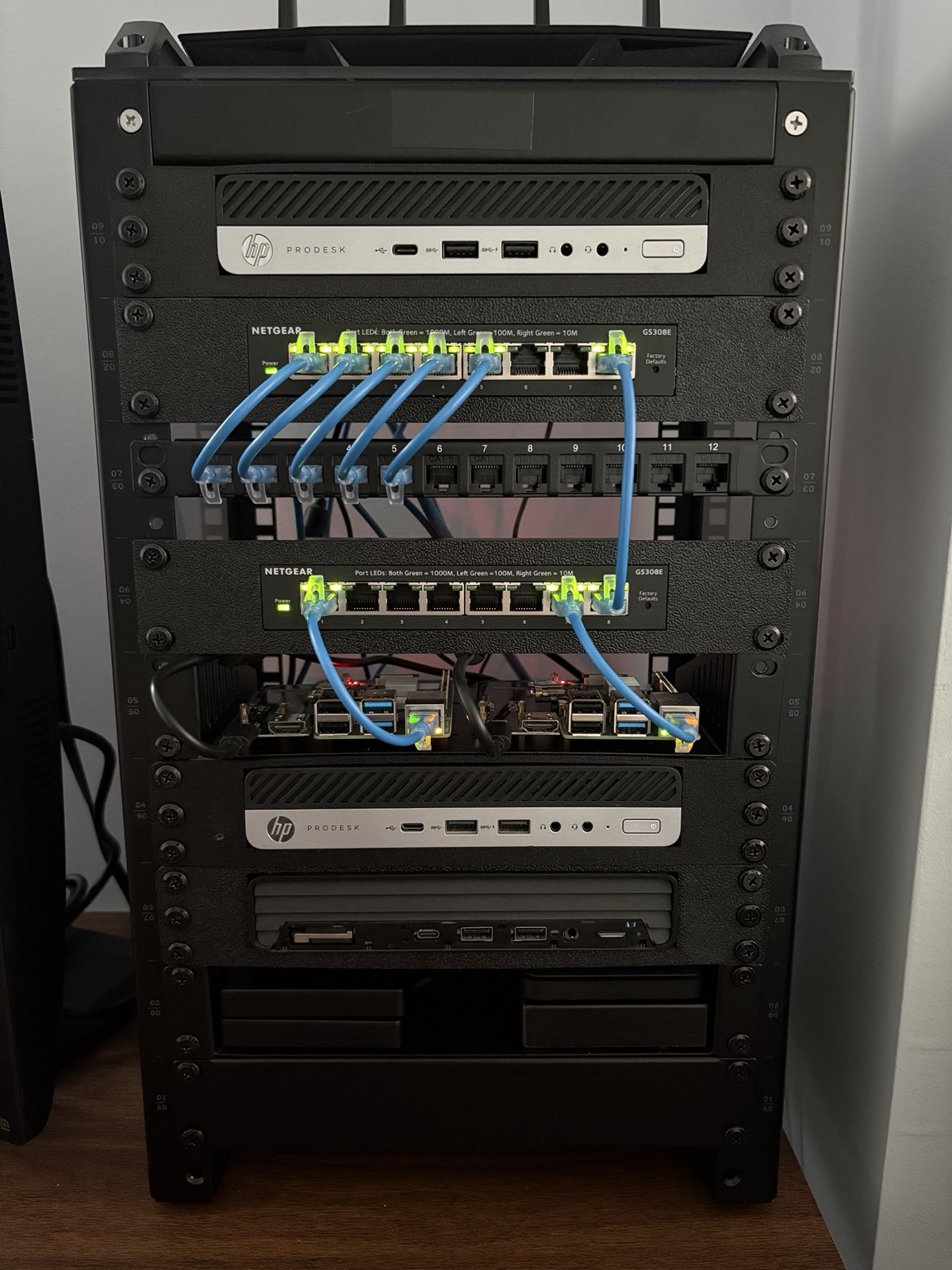
I didn't want to spend money on dedicated networking hardware, so I picked up three retired enterprise HP ProDesk 600 mini PCs and turned them into a full homelab. One runs pfSense, one is my Ubuntu Server running everything in Docker, and my main workstation runs Linux Mint Debian Edition 7 with KVM VMs. The whole network runs across six VLANs with pfSense handling all the firewall rules.

Hardware

My homelab server rack

Router — HP ProDesk 600 G4

i5-8500T · 8GB RAM · 256GB SSD
Running pfSense. I installed a PCIe NIC myself to get the second ethernet port needed for WAN/LAN separation.

Switching & WiFi

Two Netgear GS308E managed switches with ports assigned to specific VLANs. Asus router running in AP-only mode connected to the switch.

Server — HP ProDesk 600 G5

i5-9600T · 16GB RAM · 256GB NVMe (OS) + 5TB HDD (media) + 2TB HDD (data) + 2TB HDD (backups)
Running Ubuntu Server 24.04 with a full Docker stack.

Workstation — HP ProDesk 600 G6

i5-10500 · 40GB RAM · 512GB SSD + 2TB HDD
Running Linux Mint Debian Edition 7 as daily driver with KVM virtual machines.

Network Design

Everything runs on 802.1Q VLANs across pfSense and two Netgear GS308E managed switches, with ports assigned to specific VLANs. Each VLAN gets its own subnet, DHCP pool, and firewall rules. Default policy between VLANs is deny — nothing talks to anything else unless I explicitly allow it.

VLAN 10 — Trusted

10.0.10.0/24 — Main workstation and trusted devices. Has access to the Servers VLAN for self-hosted services.

VLAN 20 — Servers

10.0.20.0/24 — Home server, Raspberry Pi running Home Assistant. Isolated from untrusted devices.

VLAN 30 — Untrusted

10.0.30.0/24 — WiFi AP and all wireless clients. No access to Trusted or Servers VLANs. Internet only.

VLAN 40 — Cameras

10.0.40.0/24 — Reserved for future IP cameras. No internet access, only reachable from the Servers VLAN via Frigate.

VLAN 50 — Lab

10.0.50.0/24 — Isolated lab network for HTB/THM and pentesting. Internet access only, no reach into any other VLAN.

VLAN 99 — Management

10.0.99.0/24 — pfSense management and switch management interface. Only accessible from the Trusted VLAN.

Self-Hosted Services

Jellyfin

Media server with GPU passthrough for hardware transcoding. Library stored on a dedicated 5TB HDD.

Jellyseerr

Media request management frontend that integrates with Jellyfin for managing the media library.

Homarr

Dashboard for quick access to all self-hosted services, running on the internal network.

Home Assistant

Local home automation platform. Door sensors, motion sensors, and smart lights — no cloud dependency.

Nginx Proxy Manager

Reverse proxy handling SSL termination and internal DNS routing for all services via *.server hostnames.

Portainer

Docker management UI for monitoring and managing all containers on the server.

Uptime Kuma

Service monitoring dashboard. Monitors all containers by name on the internal Docker network.

Tailscale

Mesh VPN running as a subnet router on the server. Gives secure remote access to all home services from anywhere.

Cloudflare Tunnel

Outbound-only tunnel exposing marcnims.com publicly. No open inbound ports, no exposed home IP.

What I Learned

This taught me more than any class I’ve taken. VLAN design, trunking, firewall rules, DHCP scoping — you learn it differently when it’s your actual network. Installing the PCIe NIC myself in the pfSense box was a reminder that you don’t need expensive hardware to build something real. Running the Docker stack day-to-day has built sysadmin instincts I couldn’t have gotten from a lab assignment.